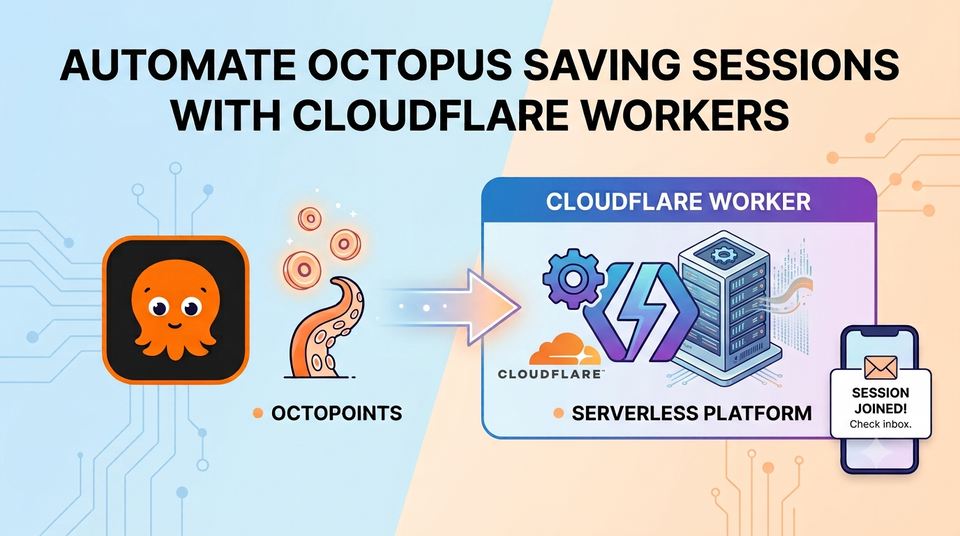
I built a little Cloudflare Worker that automatically joins Octopus Energy Saving Sessions so I don't have to remember to opt in. Here's how it works and how you can set it up for yourself.
The Problem
Octopus Energy runs Saving Sessions — time windows where you're rewarded for shifting your electricity usage away from peak demand. The reward? OctoPoints, which convert directly to account credit. It's free money for simply being mindful about when you use power.
The catch? You have to manually opt in to each session. If you forget, you get nothing — even if you shifted your usage anyway. These sessions come at irregular intervals, sometimes with a day's notice, sometimes just a few hours. Sometimes I would be away on holiday and miss out on the savings I would have generated anyways because I am not at home.
I wanted a fire-and-forget solution: something that checks periodically, joins any new sessions automatically, and lets me know when it does.
The Solution: automator-octopus-energy
automator-octopus-energy is a serverless automation bot that runs on Cloudflare Workers. It's triggered every hour by a cron schedule, queries Octopus Energy's backend GraphQL API for new saving sessions, and joins them on your behalf.
Here's the high-level flow:
Cron (hourly) → Fetch saving sessions → Filter expired events → Check deduplication → Join new sessions → Email you
The whole thing costs nothing to run — it fits comfortably within Cloudflare's generous free tier, and it runs in milliseconds per invocation.
Key Features
- Fully automated — set it up once, forget about it forever. Every new session gets joined automatically.
- Deduplication — uses Cloudflare KV to track which sessions have already been joined or were ineligible, so it never double-joins or spams you with retries.
- Stale event filtering — ignores sessions older than 5 days so it won't attempt to join events that have already passed.
- Ineligible account handling — if your account isn't eligible for a particular session (some are region-specific), the worker records that and doesn't keep retrying.
- Email notifications via AWS SES — get an email when a session is successfully joined, or if something goes wrong. Email is optional — the worker runs fine without it.
- Manual trigger endpoint — hit
/triggeron your worker to test or run it on-demand.
How It Works Under the Hood
The worker is written in TypeScript and runs on Cloudflare Workers. It's about 300 lines of code across four files:
| File | Purpose |
|---|---|
| index.ts | The entry point — handles the cron trigger, orchestrates the flow, and provides the HTTP trigger endpoint |
| octopus.ts | Octopus Energy GraphQL client — handles authentication (Kraken token exchange) and API calls |
| email.ts | AWS SES sender using Signature V4 — sends plain-text notification emails without any SDK dependency |
| types.ts | TypeScript type definitions for all API responses and the Worker environment |
The Octopus Energy API
Octopus has two GraphQL endpoints. The worker first authenticates against the main API (api.octopus.energy) using your API key to obtain a short-lived Kraken JWT token. It then uses that token against the backend API (api.backend.octopus.energy) to query savingSessions and call the joinSavingSessionsEvent mutation.
The savingSessions query returns both available events and your account's already-joined events in one call, which eliminates the need for an extra round-trip to check membership.
Email Without an SDK
The email module implements AWS Signature V4 signing against SES using only the Web Crypto API — no AWS SDK needed. This keeps the worker bundle tiny (under 50 KB) and avoids the cold-start penalty of loading a heavy dependency. The signing flow is:
- Hash the request payload with SHA-256
- Build the canonical request string
- Construct the "string to sign" with the date, region, and service
- Derive the signing key through four rounds of HMAC-SHA-256
- Sign and attach the
Authorizationheader
Email is entirely optional. If you don't set AWS credentials, the worker still runs — it just skips the notification step and logs instead.
Setting It Up Yourself
You'll need three things:
- A Cloudflare account (free tier works fine)
- An Octopus Energy API key — grab one from the Octopus developer dashboard
- Your Octopus account number — the
A-XXXXXXXXidentifier on your bill
Quick Start
The easiest way is the Deploy to Cloudflare button — one click provisions the worker:
Or clone and deploy manually:
git clone https://github.com/mrdanielmitchell/automator-octopus-energy.git
cd automator-octopus-energy
npm install
Then create a KV namespace and set your secrets:
# Create the KV namespace for deduplication
npx wrangler kv namespace create JOINED_SESSIONS
# → Copy the returned ID into wrangler.jsonc

# Set required secrets
npx wrangler secret put OCTOPUS_API_KEY
npx wrangler secret put ACCOUNT_NUMBER
npx wrangler secret put EMAIL_FROM
npx wrangler secret put EMAIL_TO

# Optional — omit to skip email notifications
npx wrangler secret put AWS_ACCESS_KEY_ID
npx wrangler secret put AWS_SECRET_ACCESS_KEY

# Deploy
npx wrangler deploy
That's it. The worker starts checking every hour. You'll get an email the next time a saving session opens up — no action required.
Testing It
Want to make sure it's working? Trigger a manual run:
curl https://automator-octopus-energy.YOUR_SUBDOMAIN.workers.dev/trigger
Then check your worker logs in the Cloudflare dashboard. If there's a session available, you'll see it being joined in real time.
Why Cloudflare Workers?
I chose Workers for this because:
- Zero infrastructure — no server to maintain, no Docker, no VPS
- Free tier — 100,000 requests/day is more than enough for an hourly cron job (730 invocations/month)
- KV for state — perfect for the deduplication store, with TTL-based expiry so old entries clean up automatically
- Cron triggers built in — no need for an external scheduler like GitHub Actions or a separate cron service
- Edge execution — runs close to Octopus's API endpoints in AWS eu-west-2 (London)
The whole thing costs me £0/month and is completely serverless.
Give It a Try
If you're an Octopus Energy customer, this takes about five minutes to set up and then you never have to think about it again. Every saving session gets joined automatically, every time.
The repo is at github.com/mrdanielmitchell/automator-octopus-energy — stars, issues, and PRs welcome.
